Creating a productive home office environment is essential for anyone working remotely or managing tasks from home. A well-designed workspace can improve focus, reduce distractions, and increase overall job satisfaction. Whether you have a dedicated room or just a small corner, these tips will help you set up an efficient and comfortable home office that inspires productivity.
Choose the Right Location
Selecting the best spot for your home office is the first step toward a productive workspace.
– Quiet and Private: Pick a location with minimal noise and foot traffic to help maintain concentration.
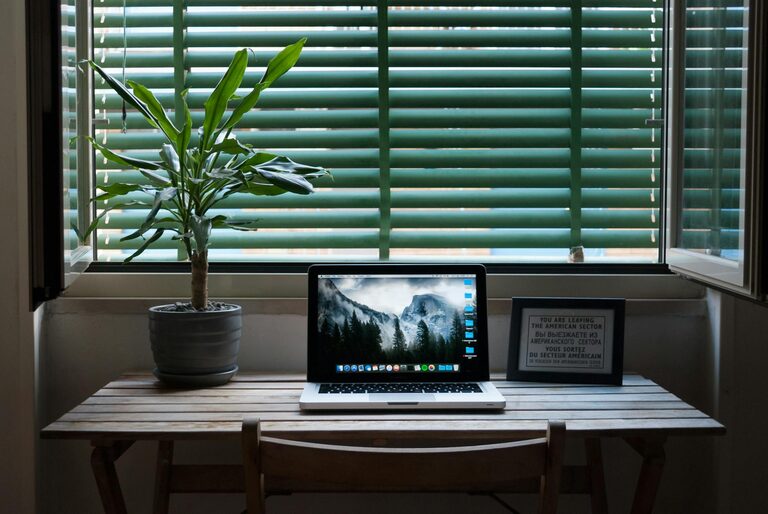
– Natural Light: If possible, set up near a window. Natural light can improve mood and reduce eye strain.
– Space for Essentials: Make sure there’s enough room for your desk, chair, and any equipment you need.
Invest in Ergonomic Furniture
Comfort plays an important role in how long and how well you work.
– Chair: Choose an adjustable chair with good lumbar support to prevent back pain.
– Desk: Ensure your desk is the right height so your wrists stay straight when typing.
– Monitor Position: Position your screen at eye level to avoid neck strain.
Organize Your Workspace
A clutter-free desk helps keep your mind clear and focused.
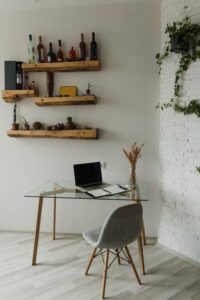
– Storage Solutions: Use shelves, drawers, or filing cabinets to store documents and supplies.
– Cable Management: Keep cords organized with clips or cable ties to avoid tangles.
– Daily Clean-Up: Spend a few minutes at the end of each day tidying up your desk.
Use Effective Lighting
Proper lighting reduces eye fatigue and keeps you alert.
– Task Lighting: Add a desk lamp to provide extra light for reading and writing.
– Avoid Glare: Position your screen to minimize reflections from windows or lights.
– Adjustable Brightness: Use lamps with dimmers or adjustable brightness to suit different times of the day.
Minimize Distractions
Reducing interruptions helps maintain flow and efficiency in your work.
– Set Boundaries: Let family members or housemates know your work hours.
– Turn Off Notifications: Silence non-essential apps or devices during focused work time.
– Use Noise-Canceling Headphones: If background noise is unavoidable, headphones can help block distractions.
Personalize Your Workspace
Adding personal touches can make your office inviting and motivating.
– Decorate with Plants: Indoor plants can improve air quality and create a calming atmosphere.
– Add Art or Photos: Visual elements that inspire you can boost creativity.
– Choose Colors Wisely: Soft, calming colors like blue or green can enhance concentration.
Establish a Routine
Consistency helps signal your brain when it’s time to work.
– Set Regular Hours: Start and end your workday at the same times.
– Dress for Success: Wearing work-appropriate clothes can improve your mindset.
– Take Breaks: Schedule short breaks to stretch, hydrate, and rest your eyes.
Use Technology Wisely
Leverage tools that keep you organized and connected.
– Task Management Apps: Keep track of your to-do lists and deadlines.
– Video Conferencing Tools: Stay connected with colleagues and clients.
– Backup Your Work: Use cloud storage or external drives to protect important files.
Keep Healthy Habits in Mind
Physical and mental well-being is part of productivity.
– Stay Hydrated and Eat Well: Keep water and healthy snacks nearby.
– Incorporate Movement: Stand, stretch, or take short walks during the day.
– Maintain Good Posture: Regularly check and adjust your sitting position.
—
By thoughtfully designing your home office with these tips, you create a space that supports your productivity and well-being. The key is to find what works best for you and make adjustments as your needs evolve. With the right environment, you can make working from home both efficient and enjoyable.