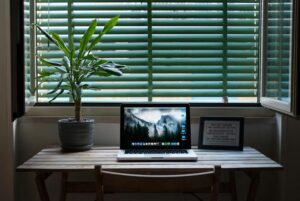

Creating a home workspace that is both cozy and productive is essential for anyone working remotely or spending significant time on personal projects. A well-designed workspace can improve focus, reduce stress, and make your daily tasks more enjoyable. In this post, we’ll explore practical tips to help you build a home office environment that feels inviting yet keeps you motivated throughout the day.
Choose the Right Location
Selecting the right spot in your home is the first step toward an effective workspace. Ideally, find a quiet area with minimal distractions and enough natural light. Here are some considerations:
– Natural light: Position your desk near a window to benefit from daylight, which can boost mood and reduce eye strain.
– Away from noise: Choose a room or corner that’s away from household traffic or loud appliances.
– Space availability: Ensure your chosen area has enough room for essential furniture and storage.
If space is limited, a small nook or a section of your living room can be transformed with the right setup.
Invest in Comfortable Furniture
Comfort is key to maintaining productivity. An uncomfortable chair or poorly positioned desk can lead to back pain and fatigue.
– Ergonomic chair: Look for a chair with adjustable height, good lumbar support, and comfortable padding.
– Appropriate desk: Choose a desk that fits your space and provides enough surface area for your work tools.
– Consider standing desks: If possible, a height-adjustable desk allows you to switch between sitting and standing, which is good for health and focus.
Adding a footrest or cushion can enhance comfort, especially during long hours.
Organize with Purpose
Clutter can be distracting and lowers your efficiency. Organizing your workspace helps you find what you need quickly and keeps your mind clear.
– Use storage solutions: Shelves, drawers, and containers keep supplies and documents tidy.
– Cable management: Use clips, sleeves, or boxes to keep cords neat and avoid a tangled mess.
– Keep essentials within reach: Arrange frequently used items close to your work area to minimize interruptions.
Regularly declutter your desk to maintain a clean and inspiring environment.
Personalize Your Space
Making your workspace feel welcoming encourages you to spend time there and be productive.
– Add plants: Small indoor plants can improve air quality and add a touch of nature.
– Incorporate artwork or photos: Surround yourself with images that inspire or relax you.
– Use cozy textiles: A soft rug, cushions, or a throw blanket can make the space more inviting.
Be careful not to overcrowd the area; the goal is to personalize without creating clutter.
Optimize Lighting
Proper lighting reduces eye strain and sets the right mood.
– Balance natural and artificial light: Use a combination of daylight and desk lamps to avoid harsh shadows or glare.
– Choose adjustable lighting: Lamps with dimmer switches or adjustable brightness let you customize light levels based on the time of day.
– Use warm light: Softer, warm-colored bulbs create a cozier atmosphere compared to cool, harsh lighting.
Position your computer screen to minimize reflections and glare from windows or lights.
Minimize Distractions
To stay productive, it’s important to set boundaries in your workspace.
– Set clear work hours: Establish a routine to help your brain switch into work mode.
– Use noise-cancelling headphones or background music: These can block out distracting noises.
– Communicate your schedule: Let family or housemates know when you’re not to be disturbed.
Keeping your phone on silent or using focus apps can also help reduce interruptions.
Incorporate Technology Wisely
A smooth technology setup is vital for remote work or any digital projects.
– Reliable internet connection: Ensure your Wi-Fi signal is strong in your workspace.
– Quality peripherals: Invest in a good keyboard, mouse, and monitor to improve comfort and efficiency.
– Backup solutions: Use cloud storage or external drives to safeguard important files.
Regularly update software and keep your devices clean to avoid technical issues.
Add Comfort and Wellness Elements
Finally, integrating small health-focused touches can keep you feeling good throughout the day.
– Take breaks: Set reminders to stand, stretch, and rest your eyes.
– Stay hydrated: Keep a water bottle nearby.
– Keep air fresh: Open a window or use an air purifier to maintain good air quality.
A small diffuser with calming scents like lavender may help reduce stress and improve focus.
—
By thoughtfully arranging your home workspace with these tips, you can create an environment that supports both comfort and productivity. Remember, your workspace should reflect your needs and preferences, making it a place where you want to spend time and do your best work.